This administrator CV template shows a candidate who progressed from administrative assistant to an office role coordinating bookings, records and team support. The Word example pairs everyday responsibilities with useful improvements. The guide helps you shape an application for general office administration or a more specialised service, with advice on systems, organisation, qualifications and temporary work.
Filename: FreeCVDownload_Administrator.docx
Content of this CV template
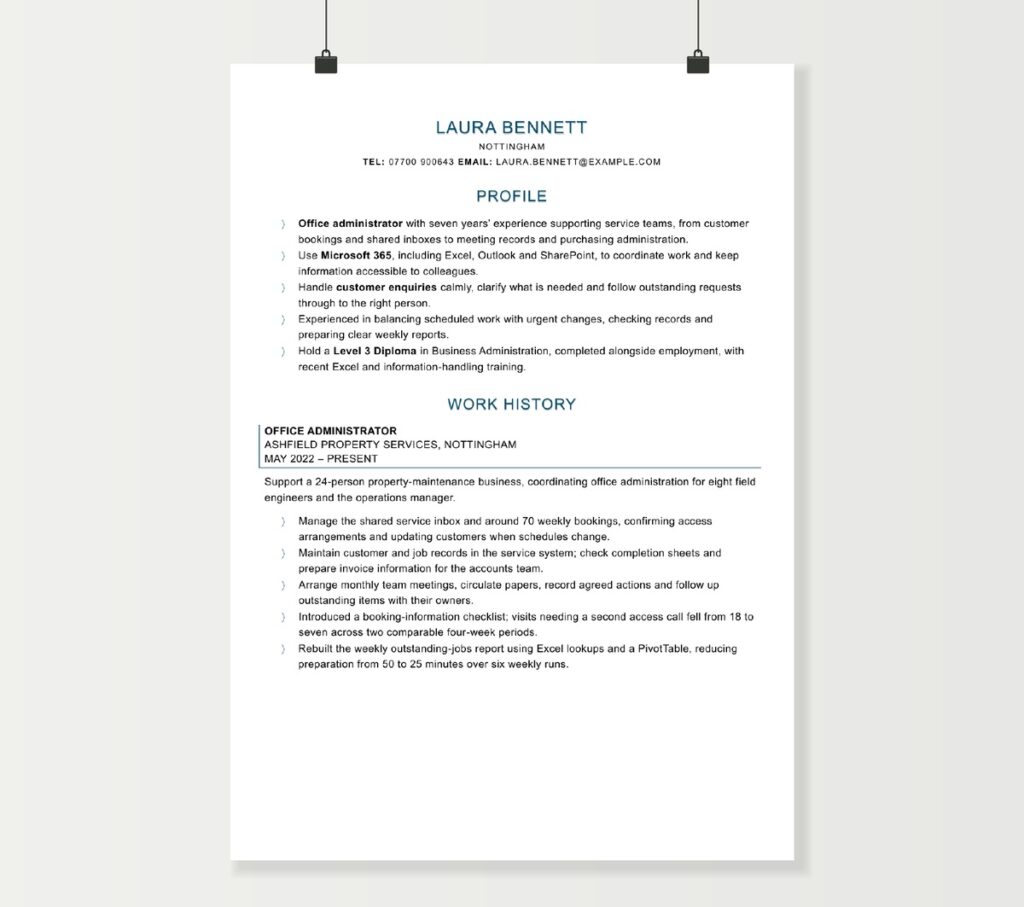
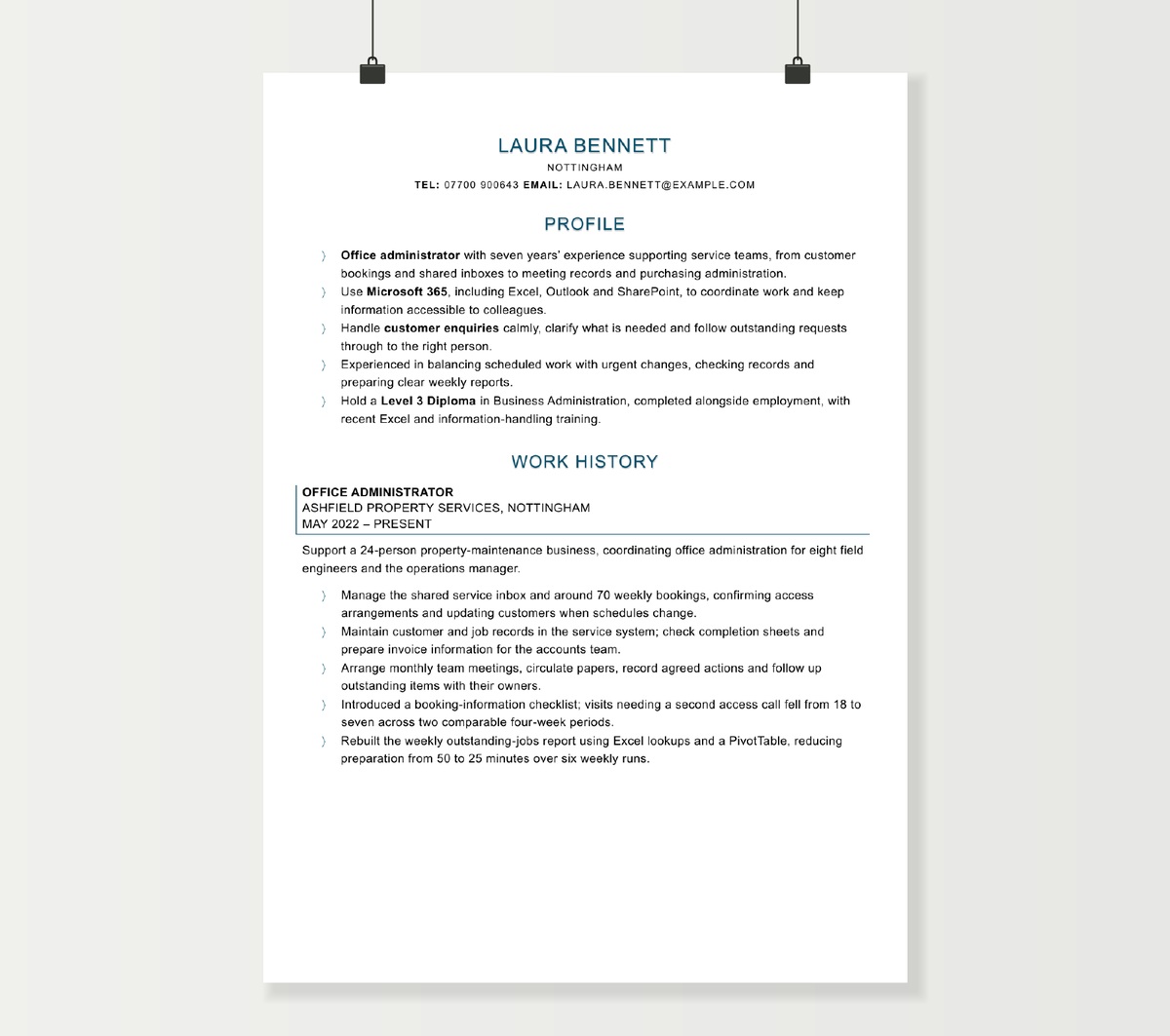
LAURA BENNETT
NOTTINGHAM
tel: 07700 900643 email: [email protected]
PROFILE
- Office administrator with seven years’ experience supporting service teams, from customer bookings and shared inboxes to meeting records and purchasing administration.
- Use Microsoft 365, including Excel, Outlook and SharePoint, to coordinate work and keep information accessible to colleagues.
- Handle customer enquiries calmly, clarify what is needed and follow outstanding requests through to the right person.
- Experienced in balancing scheduled work with urgent changes, checking records and preparing clear weekly reports.
- Hold a Level 3 Diploma in Business Administration, completed alongside employment, with recent Excel and information-handling training.
WORK HISTORY
OFFICE ADMINISTRATOR
ASHFIELD PROPERTY SERVICES, NOTTINGHAM
MAY 2022 – PRESENT
Support a 24-person property-maintenance business, coordinating office administration for eight field engineers and the operations manager.
- Manage the shared service inbox and around 70 weekly bookings, confirming access arrangements and updating customers when schedules change.
- Maintain customer and job records in the service system; check completion sheets and prepare invoice information for the accounts team.
- Arrange monthly team meetings, circulate papers, record agreed actions and follow up outstanding items with their owners.
- Introduced a booking-information checklist; visits needing a second access call fell from 18 to seven across two comparable four-week periods.
- Rebuilt the weekly outstanding-jobs report using Excel lookups and a PivotTable, reducing preparation from 50 to 25 minutes over six weekly runs.
ADMINISTRATIVE ASSISTANT
TRENT LEARNING CENTRE, NOTTINGHAM
SEPTEMBER 2019 – APRIL 2022
Provided administrative support to a training provider delivering classroom and workplace courses for local employers.
- Booked rooms, confirmed course places and issued joining information to delegates and trainers.
- Updated attendance records, checked registration details and assembled completion documents for the course coordinator.
- Raised purchase requests, checked supplier-invoice references and gathered receipts for the monthly accounts pack.
- Organised shared folders and wrote handover notes for recurring tasks, helping two new colleagues cover course administration.
QUALIFICATIONS & DEVELOPMENT
LEVEL 3 DIPLOMA IN BUSINESS ADMINISTRATION
WORK-BASED LEARNING – 2021
Completed through work-based learning while employed as an administrative assistant.
RECENT DEVELOPMENT
EXCEL REPORTING – 2025; DATA PROTECTION – 2026
EDUCATION
A LEVELS: BUSINESS (B), ENGLISH LANGUAGE (C) – 2019
8 GCSES INCLUDING ENGLISH AND MATHS – 2017
OUTSIDE WORK
I enjoy cycling, reading crime fiction and singing in a community choir.
Writing an administrator CV: make the work behind the office visible
“General administration” can cover everything from a morning of appointment calls to preparing committee papers or resolving missing invoice information. A strong administrator CV gives the employer a clear picture of what you keep running, the people who rely on you and the systems you use to do it.
The challenge is often choosing from a wide range of small but important tasks. Start with the work that takes judgement, accuracy or coordination. A useful CV helps the reader see the connection between your routine actions and a dependable service: customers receive the right information, colleagues can find records, meetings lead to action and deadlines are met.
Identify the kind of administration the vacancy needs
Read beyond the job title. In one organisation, “Administrator” means processing enquiries and maintaining a database. In another, it includes purchasing, recruitment coordination and support for a management team. Group the vacancy’s main responsibilities into two or three priorities, then choose evidence for those priorities from your own work.
- General office or operations administration: bring forward scheduling, correspondence, service records, supplier contact and the coordination of day-to-day work.
- Healthcare administration: give prominence to appointments, referrals or patient records you have handled, the service involved and communication with patients and clinical teams.
- Education administration: identify the part of the student or course cycle you support, such as admissions, enrolment, timetables, attendance, assessments or committee business.
- Finance or HR administration: specify the transactions or employee processes you support and how your work connects to the specialist team.
- PA or management-team support: emphasise diary decisions, meeting preparation, correspondence and the coordination of senior colleagues’ commitments.
This choice affects the order of your bullets more than the underlying career history. A booking-heavy role can lead with your service inbox and scheduling work; an office role with purchasing responsibilities can lead with orders, records and supplier queries. If the vacancy is mainly visitor-facing, the receptionist CV example offers a closer view of front-desk evidence.
Use the profile to establish your working context
A useful profile answers three questions quickly: what kind of administrator are you, what work can you take responsibility for, and what relevant tools or experience do you bring? “Organised, motivated and hardworking” gives little sense of the office you could support. The same space can explain that you coordinate customer bookings, maintain service records and prepare weekly reports for an operations team.
The example CV establishes seven years of administrative experience before naming the workflow and Microsoft 365 tools. Its employment section then supplies the detail. For an applicant moving from retail or hospitality, the opening can instead connect customer enquiries, booking systems, cash records or shift paperwork with the administrator role sought.
When applying for part-time or job-share work, include a short availability line if it helps the employer assess a particular working pattern. Keep the profile focused on your contribution; detailed arrangements can sit in the application form or covering letter.
Describe the workflow you support, not just the task list
Begin each recent job with a brief description of its setting and scope. A small contractor with field staff has different administrative needs from a university department or a hospital clinic. The size of the team, the service provided and the types of records you handle help the reader interpret your experience.
Then follow the work through. “Processed bookings” leaves several questions unanswered. Did you check availability, gather the necessary details, confirm arrangements, update the system and deal with changes? Select the steps that show your responsibility and make a concise bullet from them.
Managed around 70 weekly engineer bookings, confirming access details with customers and updating the service system when appointments changed.
This sentence gives scale, a practical check and a communication task. You can use the same approach for purchase requests, course registrations, referrals or employee onboarding. The useful detail is what you handled and how you brought it to a usable state for the next person.
For a wide-ranging post, group related work into a few readable bullets. An inbox, calls and customer updates belong together. Meeting papers, minutes and action tracking form another group. This makes a broad role easier to understand without turning every daily activity into a separate line.
Show how you organise changing priorities
Administrative work is rarely a single uninterrupted queue. An urgent customer change can arrive while you are preparing meeting papers or completing a regular report. Your CV can show how you decide what needs immediate attention and keep the remaining work visible.
Choose a situation with a recognisable constraint: a same-day booking change, several managers sharing a diary, a monthly reporting deadline or an absent colleague’s workload. Explain your action, such as checking availability, agreeing a revised deadline, keeping a shared tracker current or handing over unresolved items with clear next steps.
Diary management is especially useful when you describe the decisions involved. Coordinating several attendees, protecting preparation time and rearranging travel-dependent appointments conveys more than the phrase alone. For team administration, rota cover and a documented handover may be better evidence than executive diary work.
Make Microsoft Office and other systems meaningful
A compact systems section can help an employer find relevant software, but your work history should show what you do with it. Separate everyday use from the capabilities that make a difference to the vacancy.
- Excel: identify the output you maintain, then the relevant features. An outstanding-orders report using lookups and PivotTables says more than an unexplained proficiency rating. For a data-entry role, structured tables, filtering and checking totals may be the most useful evidence.
- Outlook or Google Calendar: describe shared inboxes, appointment coordination, meeting invitations or diary support where these are substantial parts of the job.
- Word and document tools: mention the documents you prepare, such as letters, agendas, mail merges, reports or consistent templates.
- Teams, SharePoint or Google Workspace: connect them to shared records, document versions, team communication or remote handovers.
- Specialist systems: name the CRM, booking, HR, finance or clinical system and describe the records or transactions you handled within it.
If the prospective employer uses a different product, related experience still has value. Describe the underlying process clearly: updating customer records, finding incomplete entries, producing a report or managing appointment status. This gives the employer a basis for judging how readily your experience could transfer.
Recent training can sit under professional development with the subject and date. A short work example showing how you used the learning will usually strengthen it more than a long catalogue of introductory courses.
Give records and confidentiality a practical context
Accuracy becomes more convincing when the reader can see what you check. Useful evidence might include matching a purchase request to an invoice reference, confirming a delegate’s registration details, checking a letter before issue or resolving duplicate customer records. Explain the consequence for the workflow: fewer queries, a complete pack or information ready for the next team.
For sensitive records, describe the type of information and the working arrangements relevant to the post. Restricted-access personnel folders, controlled document versions, agreed retention routines or routing a confidential enquiry to the appropriate colleague all give practical meaning to discretion.
In healthcare, identify the service and the administrative stages you support. In HR, distinguish updating an employee record, arranging interviews and preparing approved correspondence. In finance, make clear whether you collate invoice information, enter transactions or prepare a reconciliation. Employers can then understand the level of responsibility involved.
Show what happens after the meeting or enquiry
Meeting support is often described simply as minute-taking. A fuller picture can include coordinating availability, assembling papers, recording decisions, maintaining an action log and following up before the next meeting. Choose the stages you own and, where useful, state the type or frequency of meeting.
Similarly, strong customer-service evidence goes beyond answering the phone. Show how you clarified a request, found the relevant information, involved a colleague and kept the caller informed. In patient-facing or student-facing work, calm explanations and appropriate escalation can be central to the service.
These examples are particularly valuable when your role has few formal performance measures. They demonstrate that you complete the administrative cycle and help other people act on the information you provide.
Choose achievements that reflect administrative value
Administrative results often involve time, completeness or fewer avoidable queries. Look for a recurring inconvenience you helped resolve: missing booking details, duplicate entry, hard-to-find files, late meeting papers or a report that took too long to prepare.
In the example CV, the booking checklist is linked to fewer follow-up access calls, while the Excel report has a before-and-after preparation time. Both results are limited to the process Laura worked on, with a defined comparison period. This makes the improvement easy to understand.
Other useful evidence can be expressed without percentages: completing a backlog before a system move, preparing all course records for an external review, covering an additional team’s inbox during leave or writing a handover that colleagues used successfully. State the work completed and why it helped.
For senior administrator applications, add evidence of coordinating the wider service: allocating tasks, supporting new colleagues, resolving recurring bottlenecks or improving a shared procedure. If you have progressed within one organisation, show the change in title and dates so the growth in responsibility is visible.
Present qualifications and routes into administration
Business administration qualifications, apprenticeships and relevant work-based learning deserve a clear entry with their exact title, provider where applicable and completion date. Include English and maths qualifications when the vacancy asks for them, along with other education at a level of detail appropriate to your experience.
For a first office role, draw on administrative work in other settings. Managing society bookings, maintaining volunteer records, preparing retail stock paperwork or helping organise a course can provide evidence of systems, accuracy and communication. Describe the actual responsibility and put substantial voluntary work in its own dated section.
An experienced administrator can give most space to recent work and relevant development. A degree or business qualification is useful background, but it does not need to displace a strong example of maintaining a service through changing priorities.
Where an application asks for a supporting statement against a person specification, use the CV as the concise career record and develop the relevant examples in the statement. Check whether the employer accepts a CV, an application form or both. You can compare alternative layouts in the CV template collection while retaining the same evidence.
Administrator CV FAQs
A single agency heading with the overall dates can work well, followed by the main assignments, client sectors and individual dates. Give the most relevant placement its own detail, especially if you owned a distinct process or stayed for several months. This shows the sequence clearly and lets the reader see the range of offices and systems you adapted to.
Use your employer's job title in the work history. If it was unusually broad or unclear, add a short description of the function, such as customer-service administration. Your profile can identify the type of work you now offer. The scope of your bullets will explain whether you assisted colleagues, owned regular processes or coordinated other people's work.
It can be useful for a role involving transcription, audio typing or a stated speed requirement. Give the measured speed with accuracy and the test date or context. For most general administrator roles, evidence of producing accurate documents and handling records is more informative than an isolated words-per-minute figure.
Keep the earlier employment dates clear and add a brief dated career-break entry where needed. Bring recent relevant learning, voluntary administration or temporary work near the top. A concise example of using current office tools helps connect your established experience with the work you want to resume.
Give evidence of coordinating work without relying on colleagues being in the same room: shared task records, written handovers, online meeting arrangements and prompt updates across a distributed team. If you have worked remotely or across several sites, state that context. Availability and any required working hours can be addressed in a short practical line or the application form.
Where the role accepts transferable experience, connect your work to the relevant requirements: managing appointments, maintaining accurate records, handling concerned callers and following requests through. Describe your existing systems and service context clearly. Use the supporting statement to address the person specification individually, including any healthcare knowledge or learning that strengthens the transition.